- By Hou Chengxing
- Published
- Last checked
Before you ride
TL;DR
How do I pay for a bike rental or a guided full-day / half-day ride in advance?
Online through our Stripe checkout entry in USD. For online bike rentals (full-day or half-day), your confirmation email and booking dashboard include a direct Stripe payment link (bikes are held for 24 hours). For guided full-day and half-day cycling rides, our team sends you a Stripe checkout link once your ride details are confirmed.
Is the bike rental deposit included in the online Stripe payment?
No. The online Stripe checkout covers your rental fee (plus any delivery or accessory rental). The refundable bike deposit is paid separately in person when you pick up the bike, according to the store's deposit requirement for your model, and is refunded in full once the bike is returned and passes the return check with no issues.
Do I need Alipay to pay CycleQuest China online?
No. Advance online payments for bike rentals and guided day or half-day rides go through Stripe, so you can pay with Visa, Mastercard, American Express, Apple Pay or Google Pay without installing a Chinese app. You only need Alipay (or TenPayGo / WeChat Pay) at the store counter or for daily spending on the road in China.
Do I have to upload my passport to use Alipay?
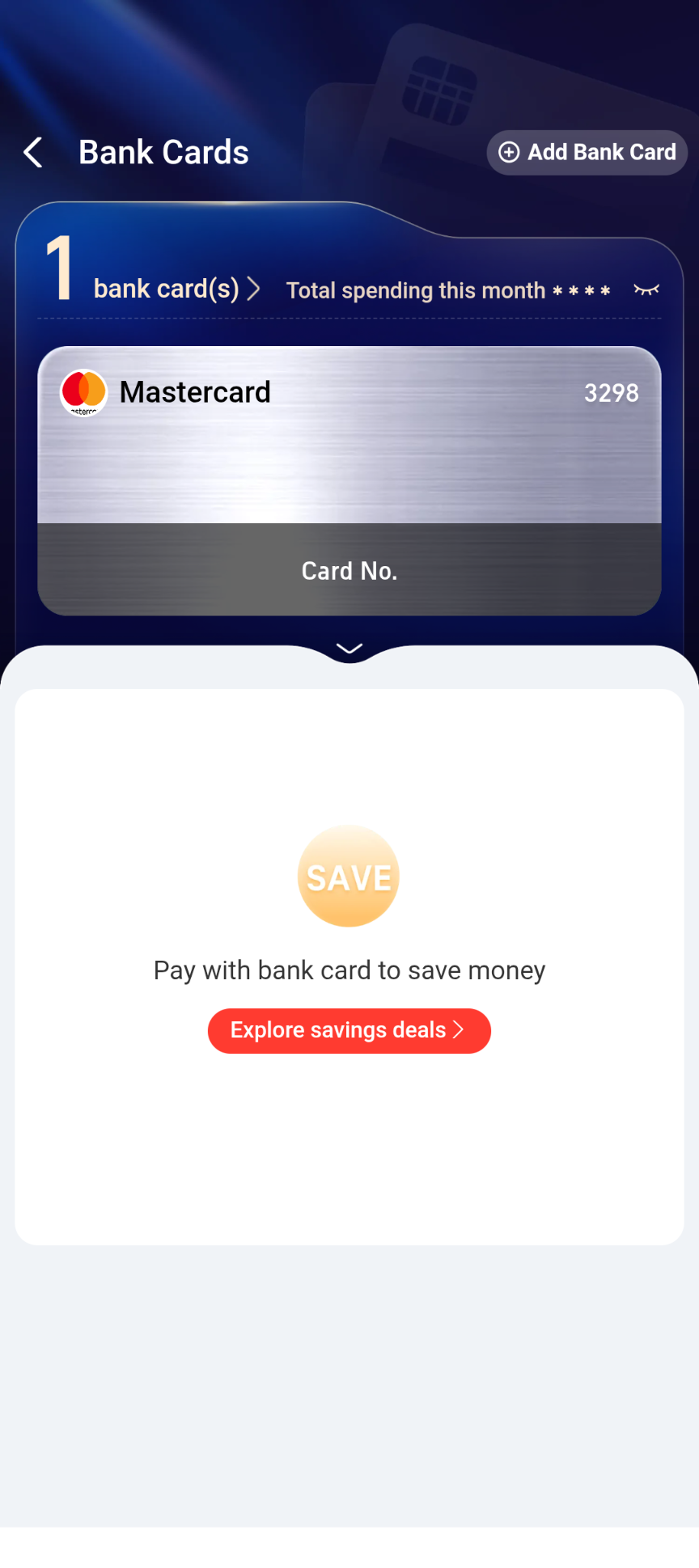
No, not for everyday spending or in-store payments. We linked a Mastercard and paid without verifying our identity. Alipay only asks for your ID once payments with international cards add up to ¥15,000 (roughly US$2,000).
Which cards work in Alipay, and will I pay a fee?
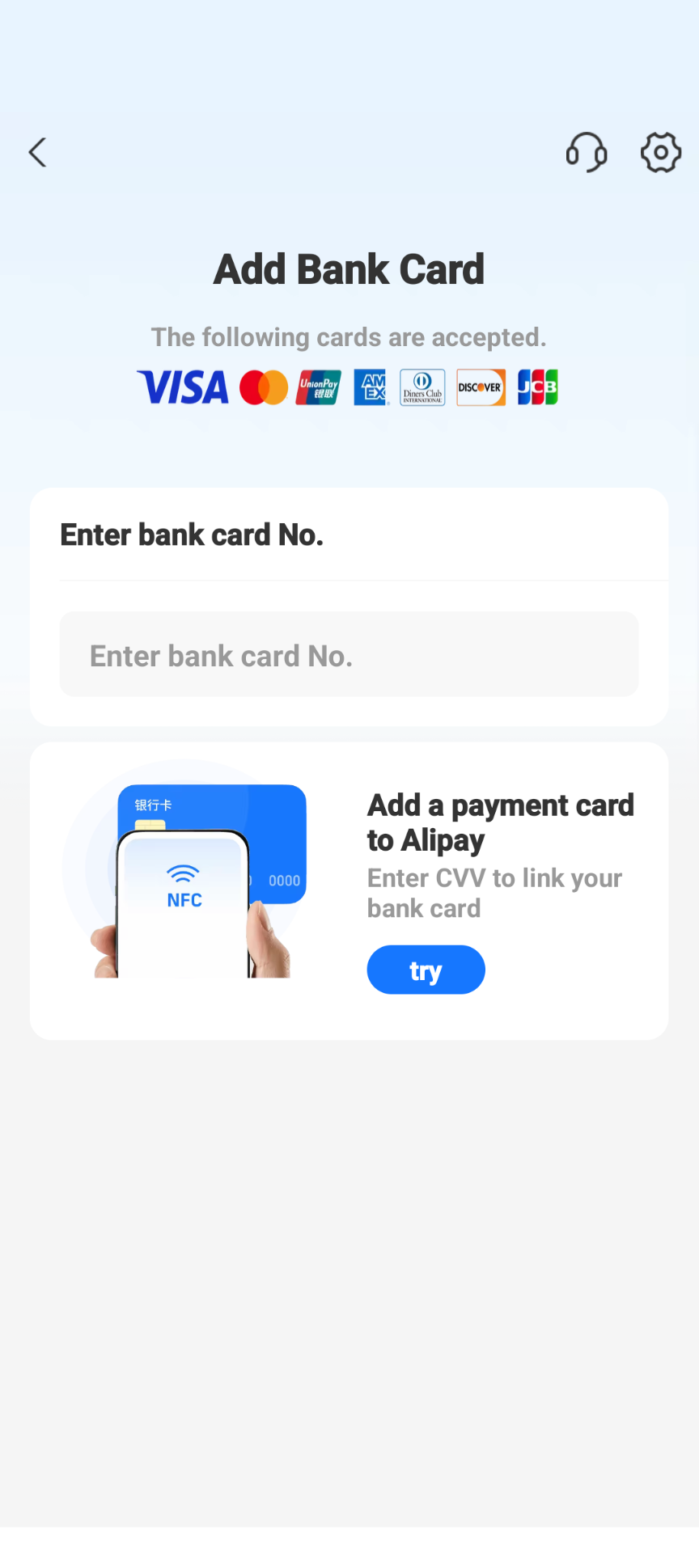
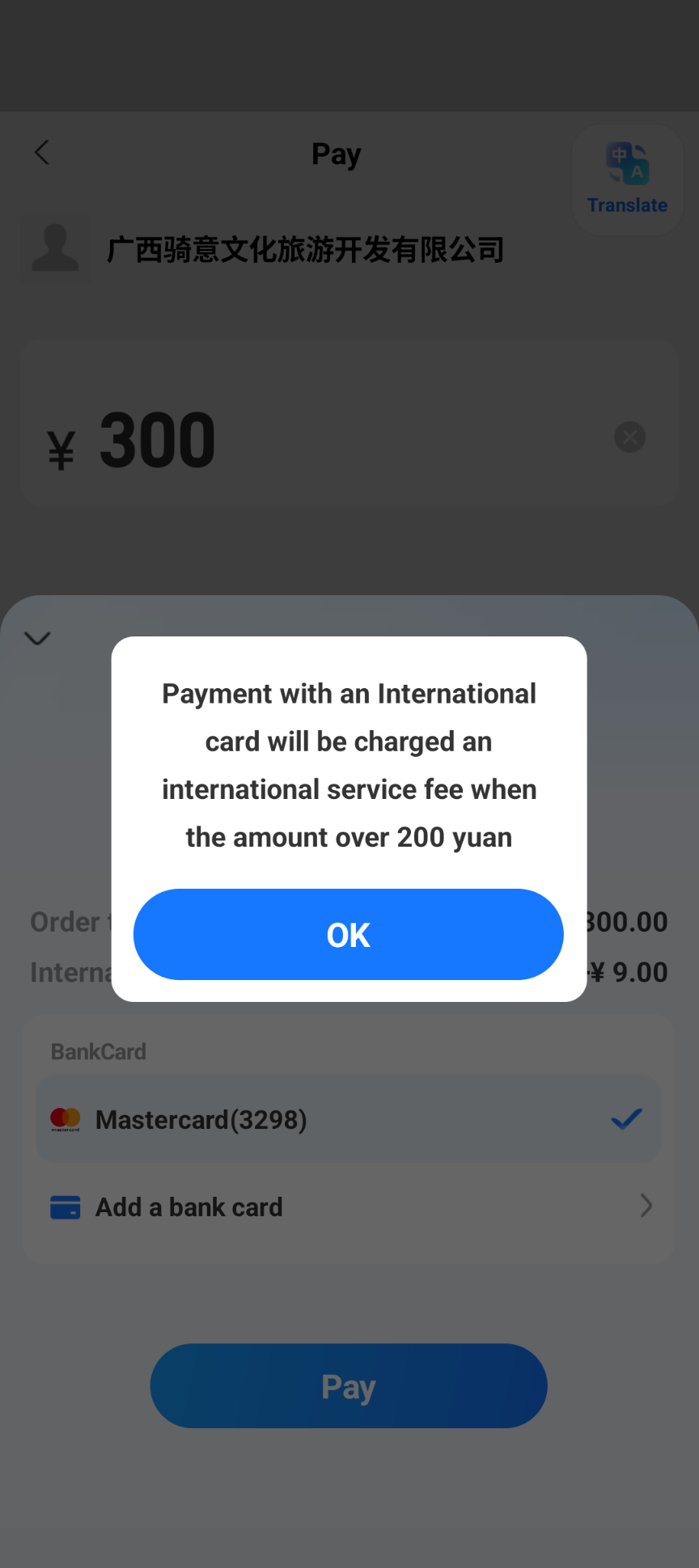
The Add Bank Card screen lists Visa, Mastercard, UnionPay, American Express, Diners Club, Discover and JCB. Payments of ¥200 or less carry no international card fee; above ¥200, Alipay adds 3% of the whole amount and shows it before you confirm.
Who am I paying when I scan a CycleQuest code at the store?
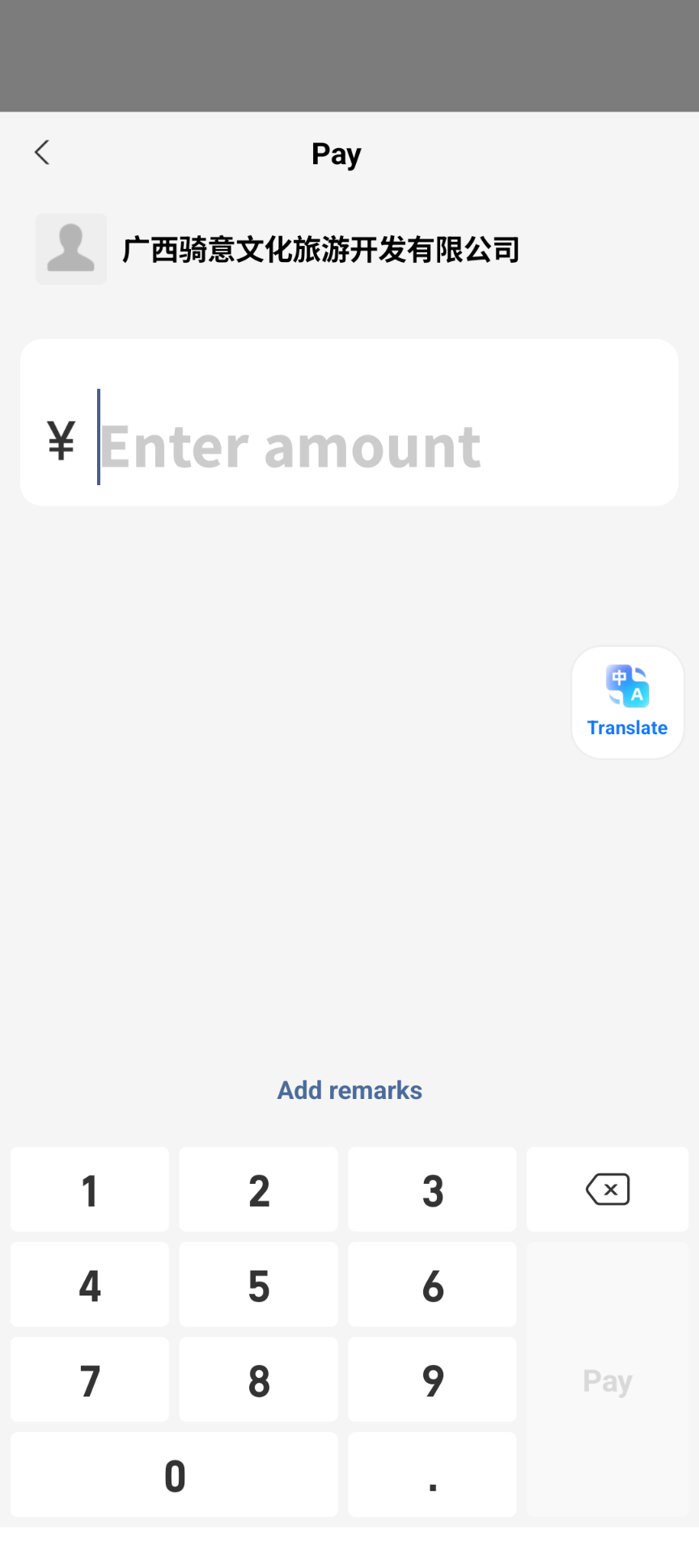
Our store QR code shows 广西骑意文化旅游开发有限公司 or 广西骑迹旅游发展有限公司. Both are CycleQuest China companies.
How payment works with us
1. Paying online in advance via Stripe (bike rentals, full-day and half-day rides)
You don’t need a Chinese payment app to secure your booking before you travel. We process online advance payments in USD through Stripe Checkout, which accepts major international credit and debit cards (Visa, Mastercard, American Express) as well as Apple Pay and Google Pay:
- Full-day and half-day bike rentals: When you book online through our rental form, we hold your bikes for 24 hours with nothing charged upfront. To confirm your booking online, click Pay now on your booking page in the dashboard or open the payment link in your confirmation email (no login needed). Both open our Stripe checkout page, and your reservation is confirmed automatically as soon as payment completes. Bookings arranged through our partner hotels can also be paid online from your booking page via Stripe.
- Guided full-day and half-day cycling rides: Submit your ride enquiry with your preferred date, route and rider heights. Once our team confirms guide availability and converts your quote into a booking, we send you a Stripe checkout link by email or WhatsApp so you can pay online in USD.
2. Paying in person at our stores (Alipay, TenPayGo or WeChat Pay)
Prefer to pay when you pick up your bike, or paying the refundable deposit at the counter? All CycleQuest China shops accept Alipay, TenPayGo and WeChat Pay (as well as cash for deposits) in person.
Even if you pay for your rental or guided day ride online via Stripe, setting up Alipay before you fly is still worth the 15 minutes—you will use it constantly across China for village shops, coffee stops, taxis and restaurants. The rest of this guide walks you through setting up Alipay with an international card and using it at our stores or out on the road.
Check who you’re paying at our stores
When you scan our QR code at a CycleQuest store, Alipay shows the name of the company receiving the money before you enter an amount. You’ll see one of these two names. Both are CycleQuest China companies:
- 广西骑意文化旅游开发有限公司
- 广西骑迹旅游发展有限公司
If the name on your screen is different, don’t pay. Ask our shop staff or message us first.
Download Alipay
- iPhone: Alipay on the App Store (opens external site)
- Android: Alipay on Google Play (opens external site)
Install it before you travel, from your home-country app store. It works in English. Sign up with your phone number; an international number works.
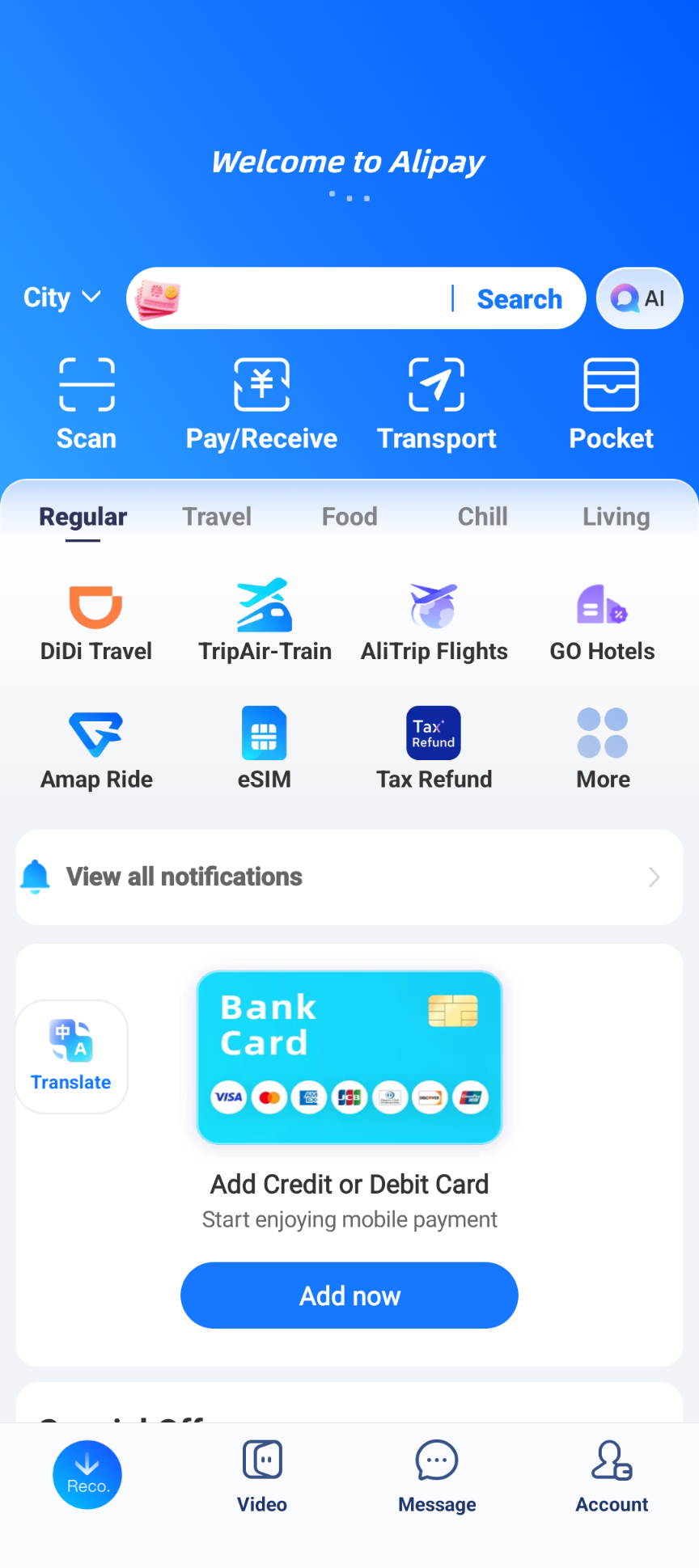
Link your card and set a payment password
- Go to Account → Bank Cards → Add a Bank Card, or tap Add now on the home screen.
- Enter your card number. The form lists Visa, Mastercard, UnionPay, American Express, Diners Club, Discover and JCB.
- Your bank may ask you to confirm the card with a text message code or in its banking app. Follow its prompts.
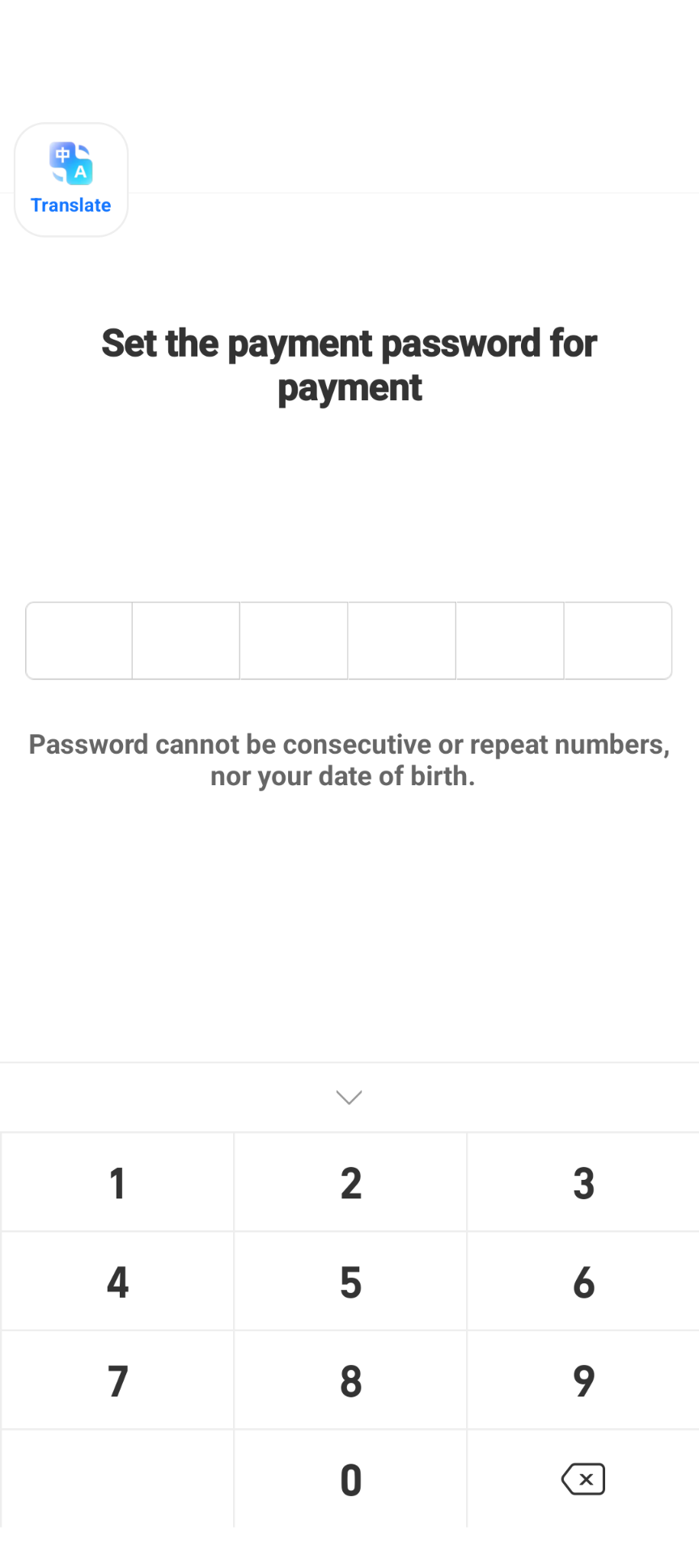
- Set a 6-digit payment password. It can’t be consecutive or repeated digits, or your date of birth. You’ll use it to confirm payments.
Identity verification: optional for most trips
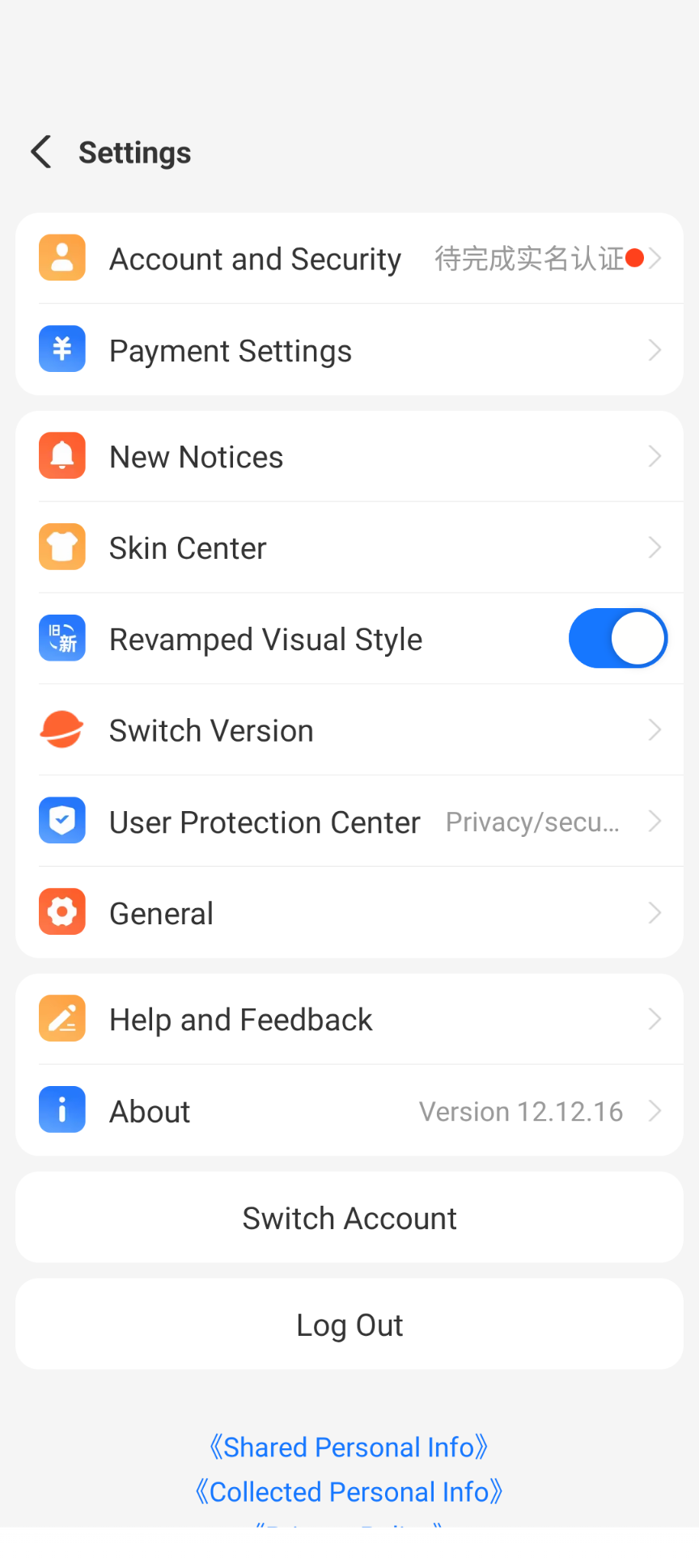
You don’t need to verify your identity before you start paying. We linked a card and paid straight away, while the settings screen still said verification was pending (待完成实名认证).
Alipay’s own notice explains when it becomes necessary: once payments made with international cards add up to ¥15,000 (roughly US$2,000), Alipay asks you to complete your identity information before you can keep paying. Everyday riding expenses and in-store rentals are usually well below that.
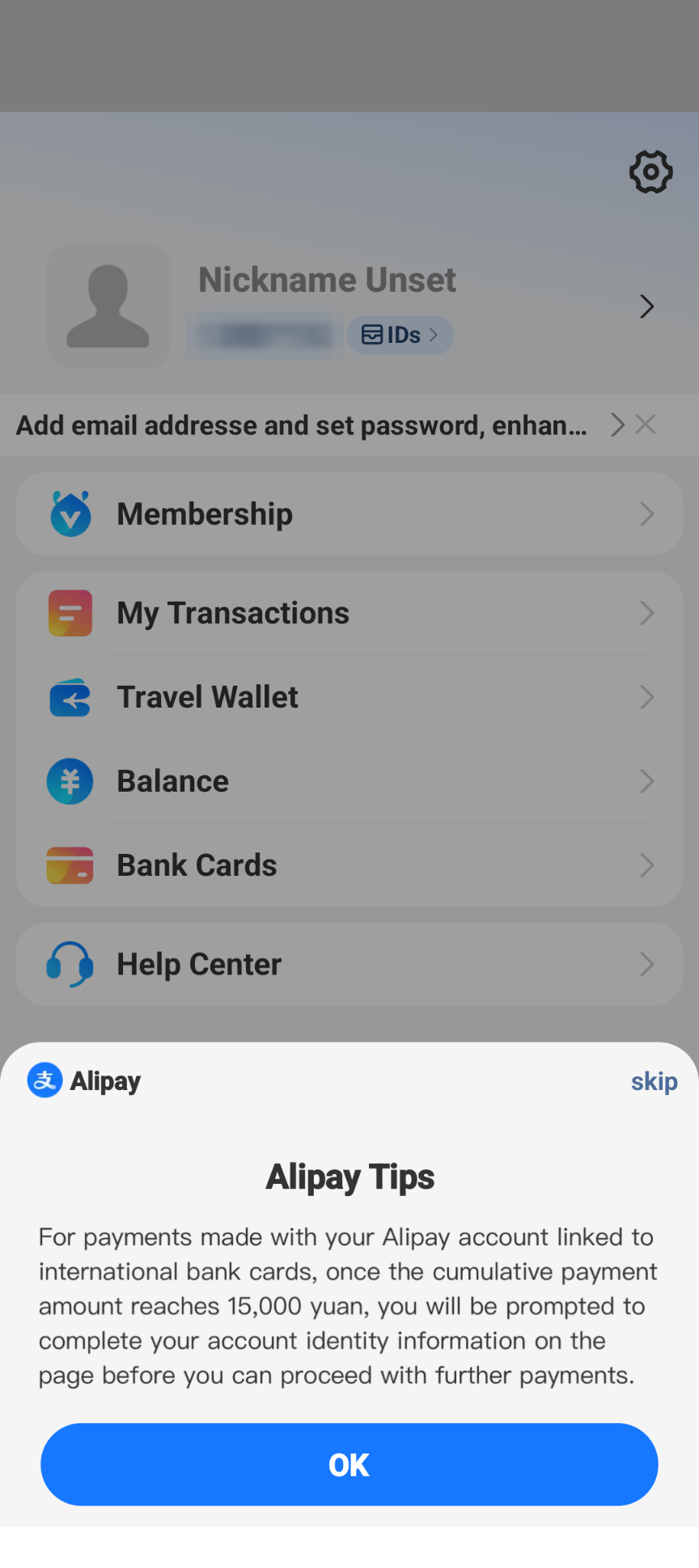
So it’s your choice. If you’d rather not hand over passport details, just link your card and pay. If you’re spending more across China, or Alipay asks you, here’s what verification looks like:
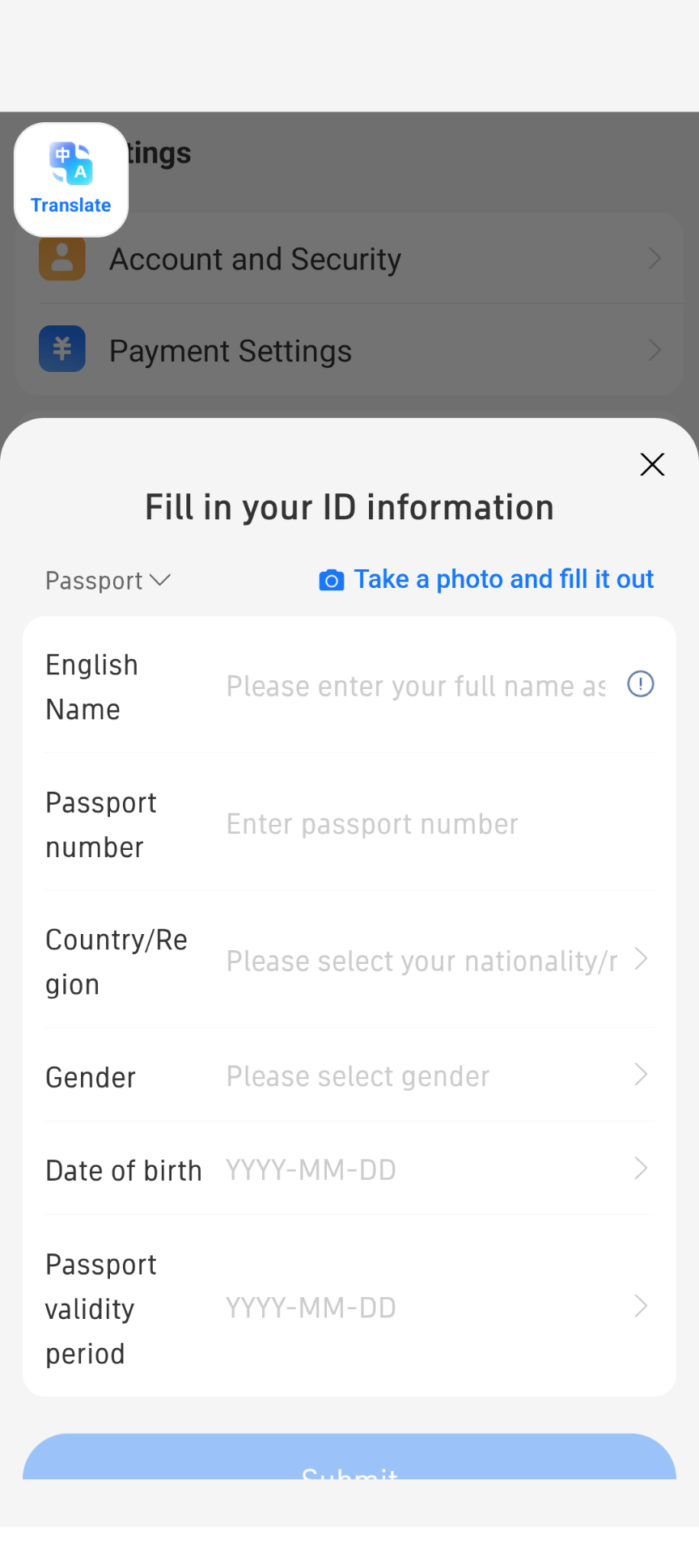
- Tap Account → Settings (gear icon) → Account and Security.
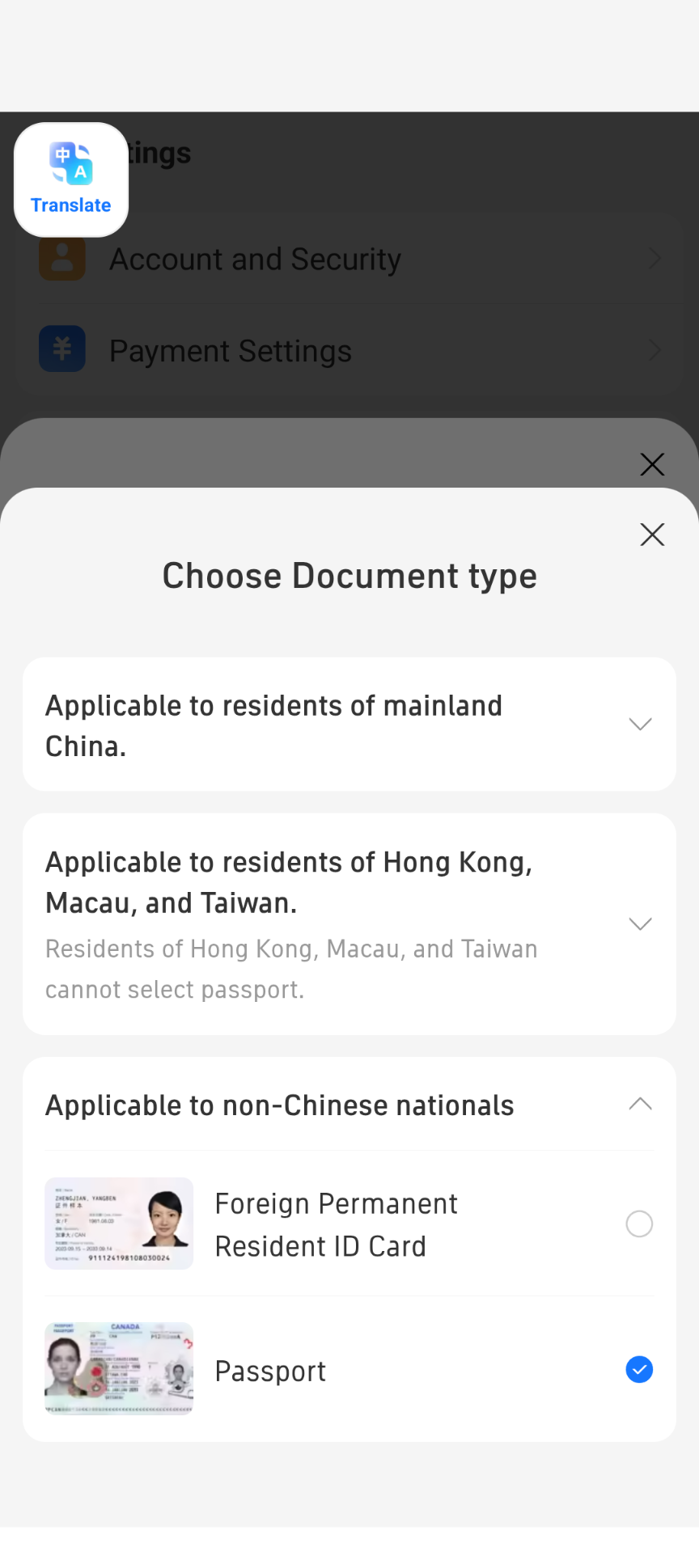
- Under Applicable to non-Chinese nationals, choose Passport.
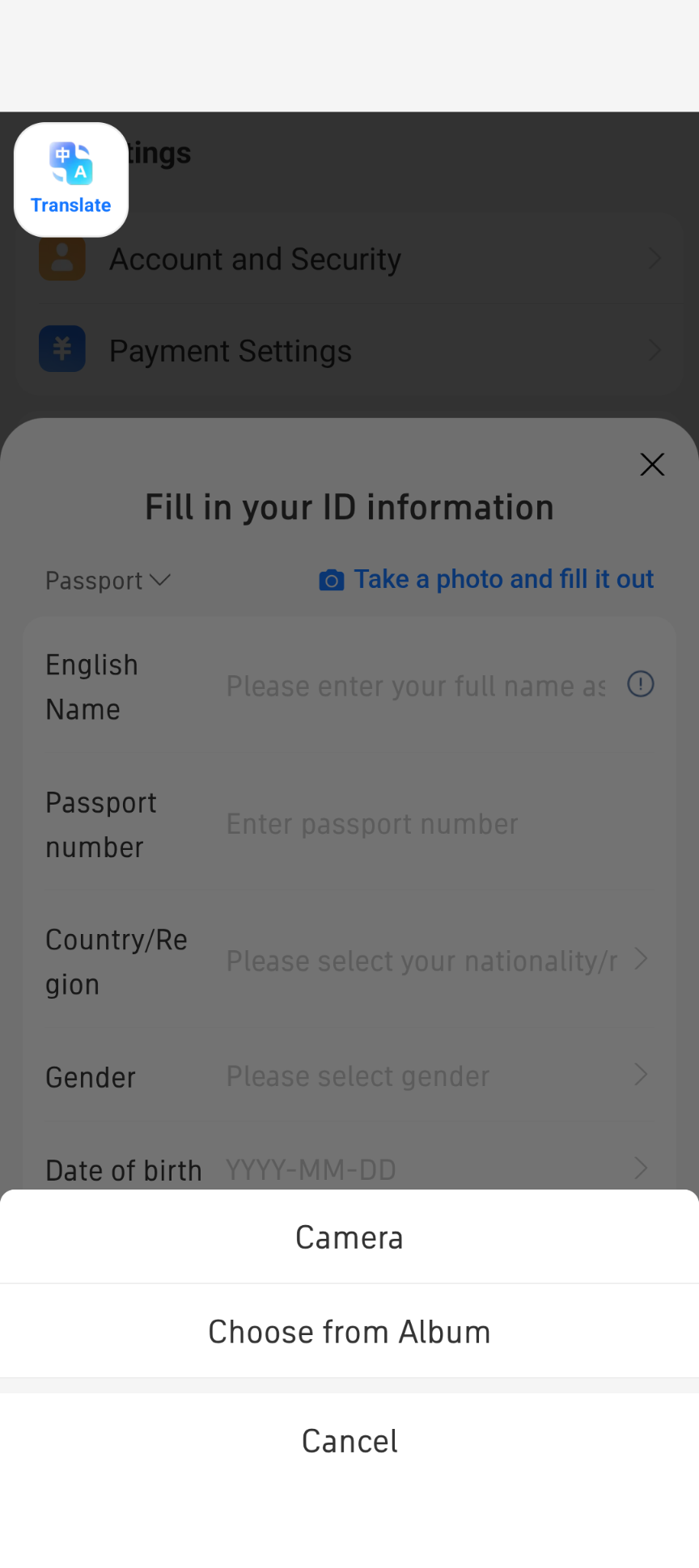
- Fill in your name, passport number, nationality, gender, date of birth and passport expiry date, or tap Take a photo and fill it out to scan your passport.
Scan and pay at our stores
If you choose to pay in person at the shop rather than online via Stripe:
- Open Alipay and tap Scan (top left of the home screen).
- Scan the QR code at our store counter.
- Check the company name on the Pay screen (see Check who you’re paying at our stores).
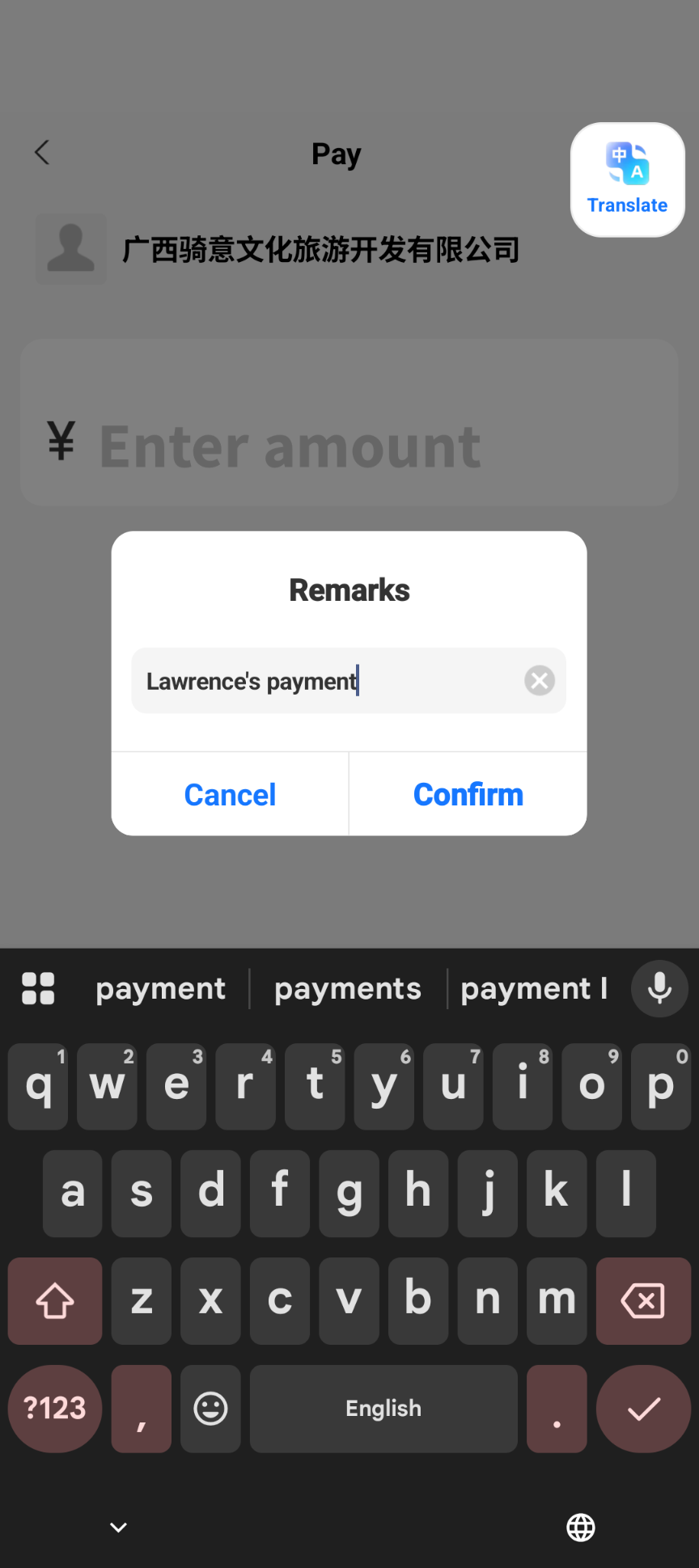
- Enter the RMB amount confirmed by our staff. Don’t convert it and don’t add the card fee yourself; Alipay calculates any international card fee automatically.
- Optional: tap Add remarks and type your name or booking number (
CQC-...). - Tap Pay, check the amounts and confirm with your 6-digit password, then show the confirmation screen to our staff at the counter.
Fees in Alipay
Alipay’s international card fee works like this:
- ¥200 or less per payment: no fee.
- More than ¥200: a 3% fee on the whole amount, not just the part above ¥200. Alipay shows a notice and the fee line before you confirm.
- Your own bank: any foreign transaction fee your card issuer charges comes on top.
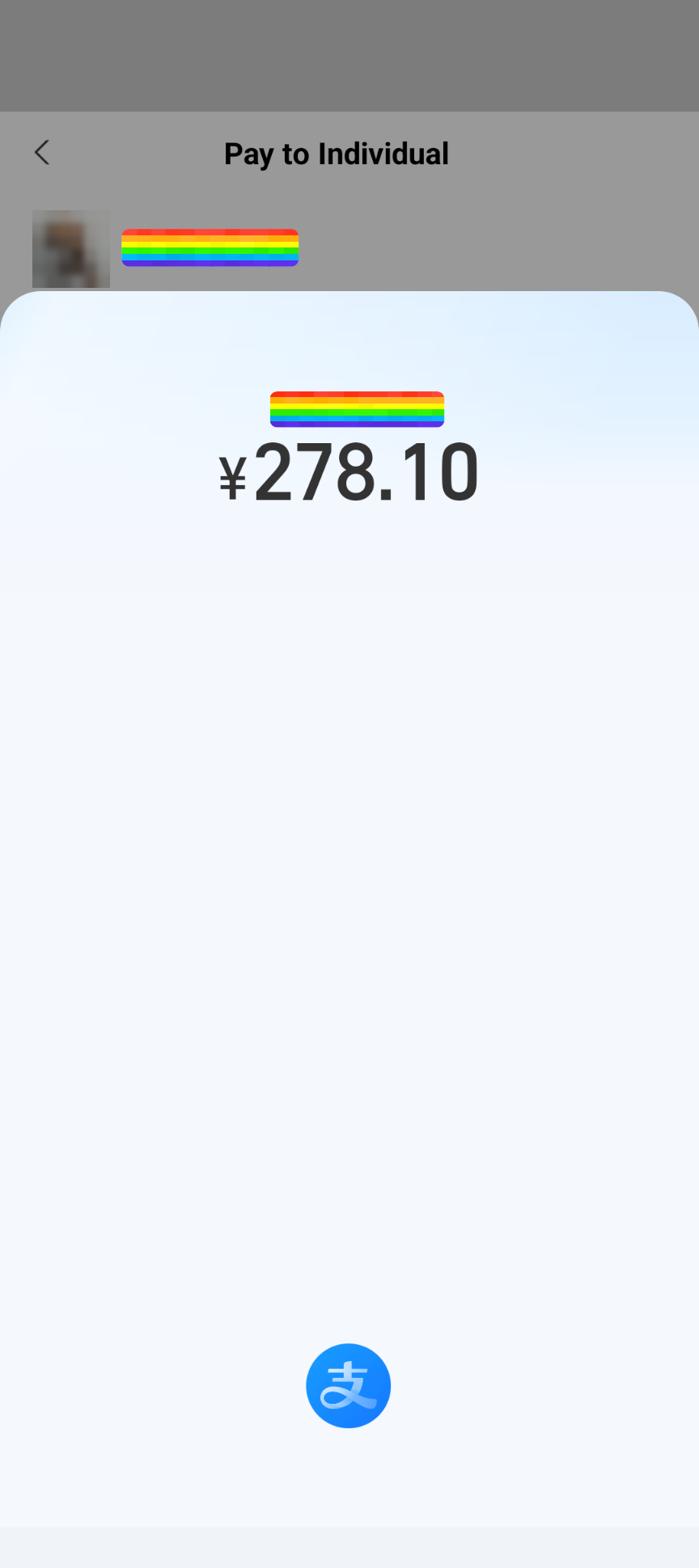
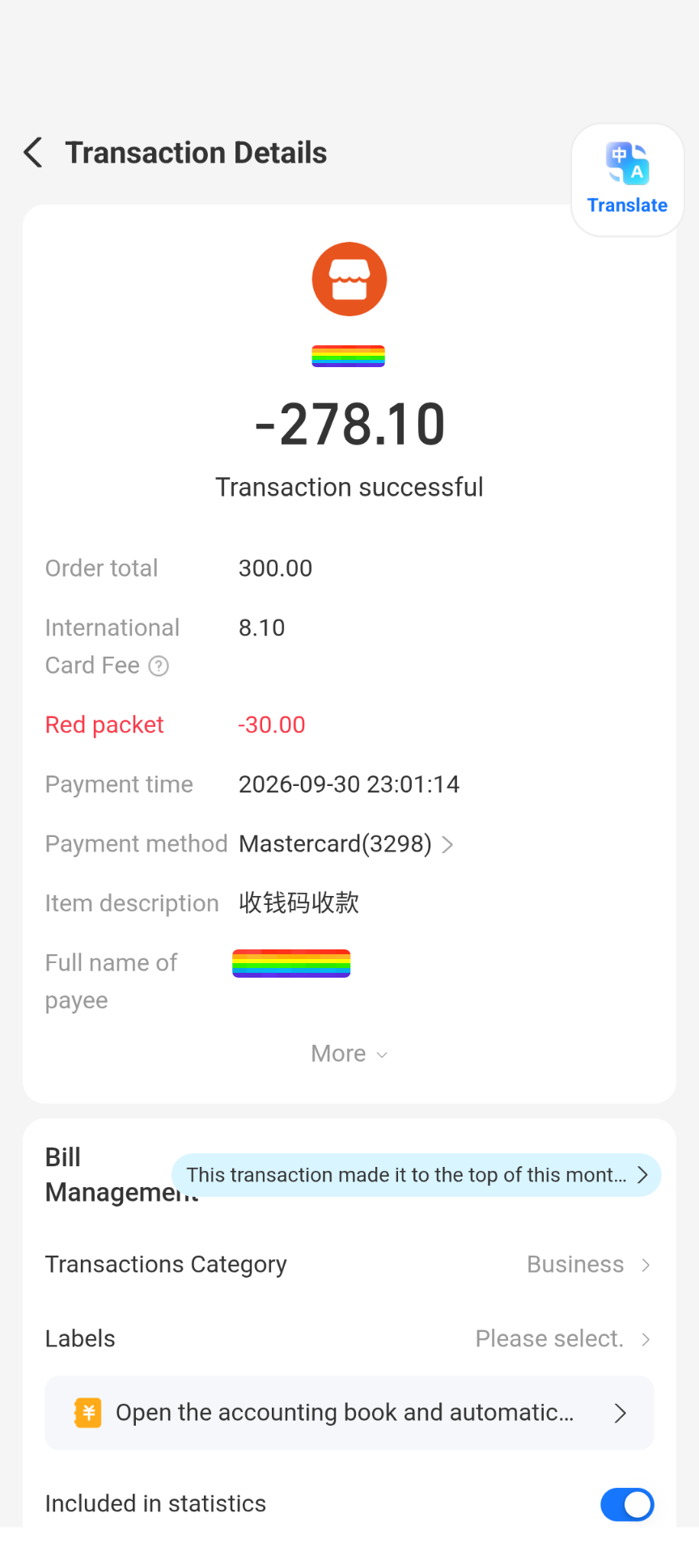
In our test, a ¥300 payment showed an International Card Fee of ¥9.00, exactly 3%. On another ¥300 payment, to a personal QR code (receipt further down), Alipay applied a ¥30 red packet, and the fee was ¥8.10: 3% of the ¥270 left after the discount. We paid ¥278.10 in total.
A red packet is an Alipay discount that new users sometimes get on a payment, taken off automatically. If you see one, you simply pay a bit less. Not everyone gets one, and there’s no guarantee of one on any payment, so plan on paying the full amount plus the fee.
Security check and your bank’s approval
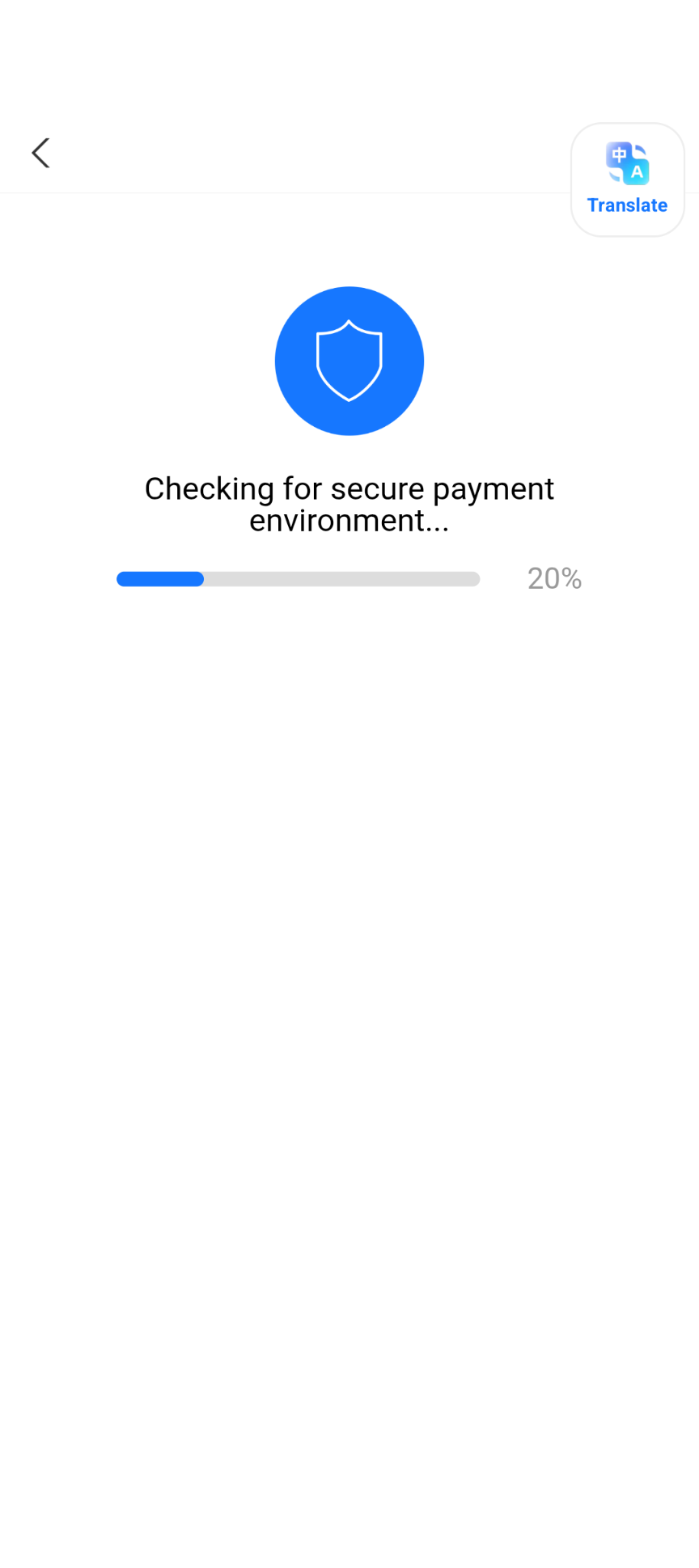
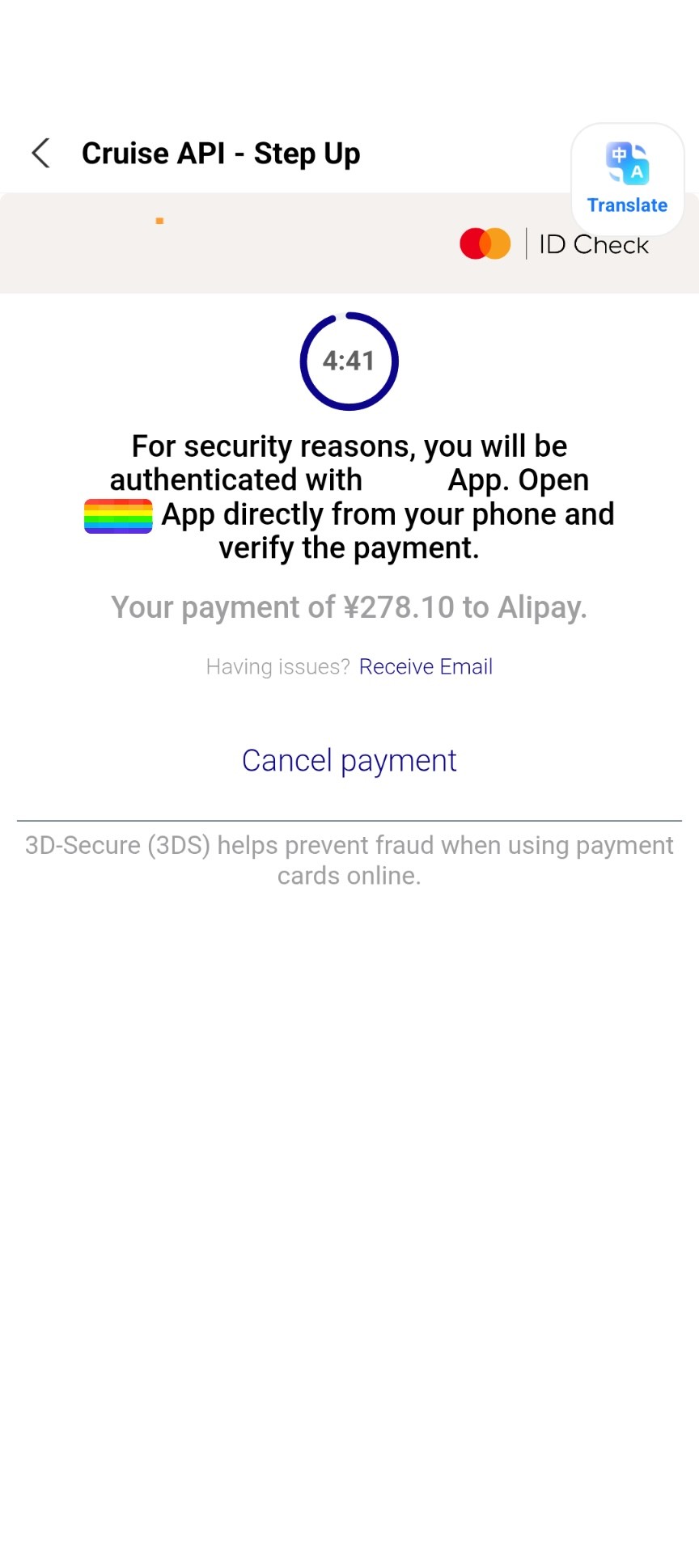
After you tap Pay, Alipay runs a quick secure payment environment check. Your bank may then ask you to approve the payment. This is 3D Secure: you may be sent to your bank’s app, or asked for a text message code. It doesn’t happen on every payment; if no approval request appears, the payment simply goes through.
- The approval page has a countdown timer. If it runs out, the payment is cancelled and you have to start again, so have your banking app ready.
- The approval page names Alipay as the recipient, not CycleQuest China. That’s normal.
If your payment doesn’t go through
Try these in order:
- Paying for a CycleQuest booking? Use the Stripe checkout link on your booking page (or ask your sales contact for a Stripe payment link for your bike rental, full-day or half-day ride) to pay directly in USD by card without going through Alipay.
- Look for your bank’s approval request. Not every payment triggers one, but if it did, open your banking app or check your text messages. If the timer ran out, start the payment again.
- Using Alipay from outside China? Turn off Wi-Fi and use mobile data, and turn off Location Services for Alipay in your phone’s settings, then try again. If you’re already in China, you don’t need to do this.
- Your bank may have blocked it. Some banks block the first payment to China. A quick call to your bank, or approving the alert in its app, usually clears it.
- Try another card. Add a second card from a different bank or network.
- Don’t keep retrying. Several failed attempts in a row can make your bank more cautious. Stop and message us on WhatsApp with a screenshot of the error.
If you’re already at one of our shops and Alipay still won’t work, you can pay at the counter with TenPayGo or WeChat Pay instead.
Watch it done
These three videos are by other travellers, not by us. They show the same app, so the screens may look slightly different from ours.
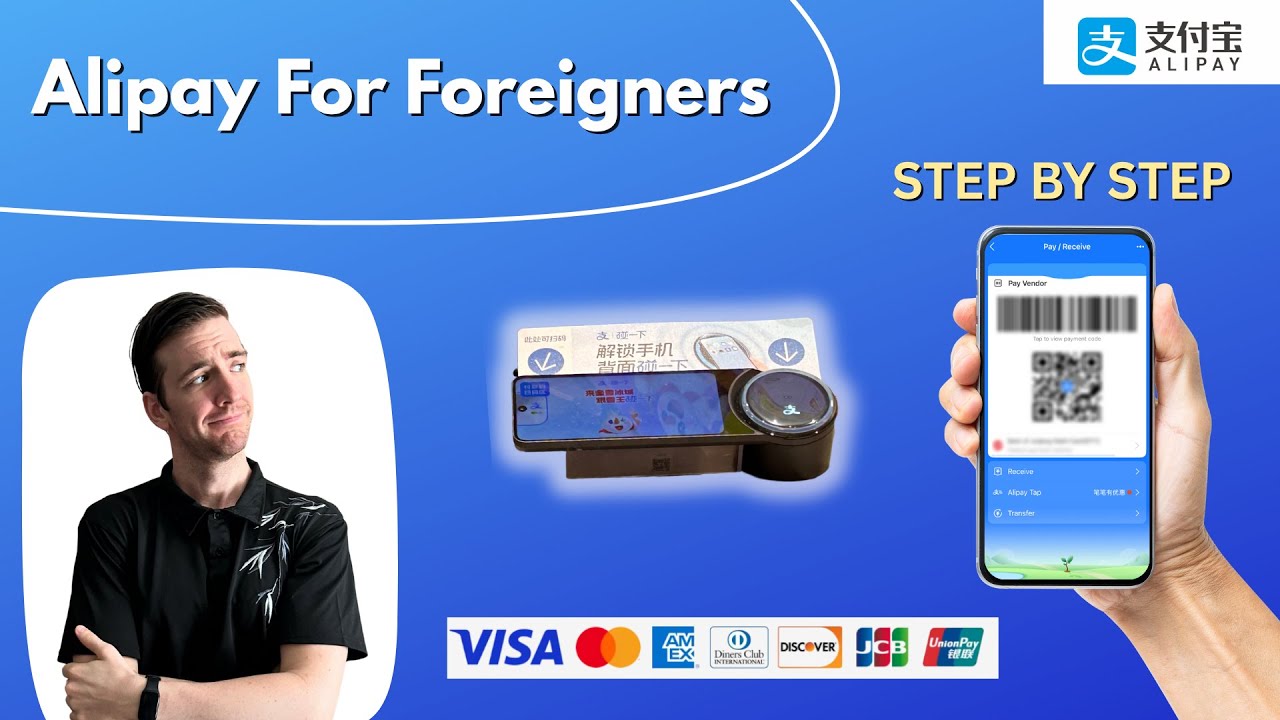

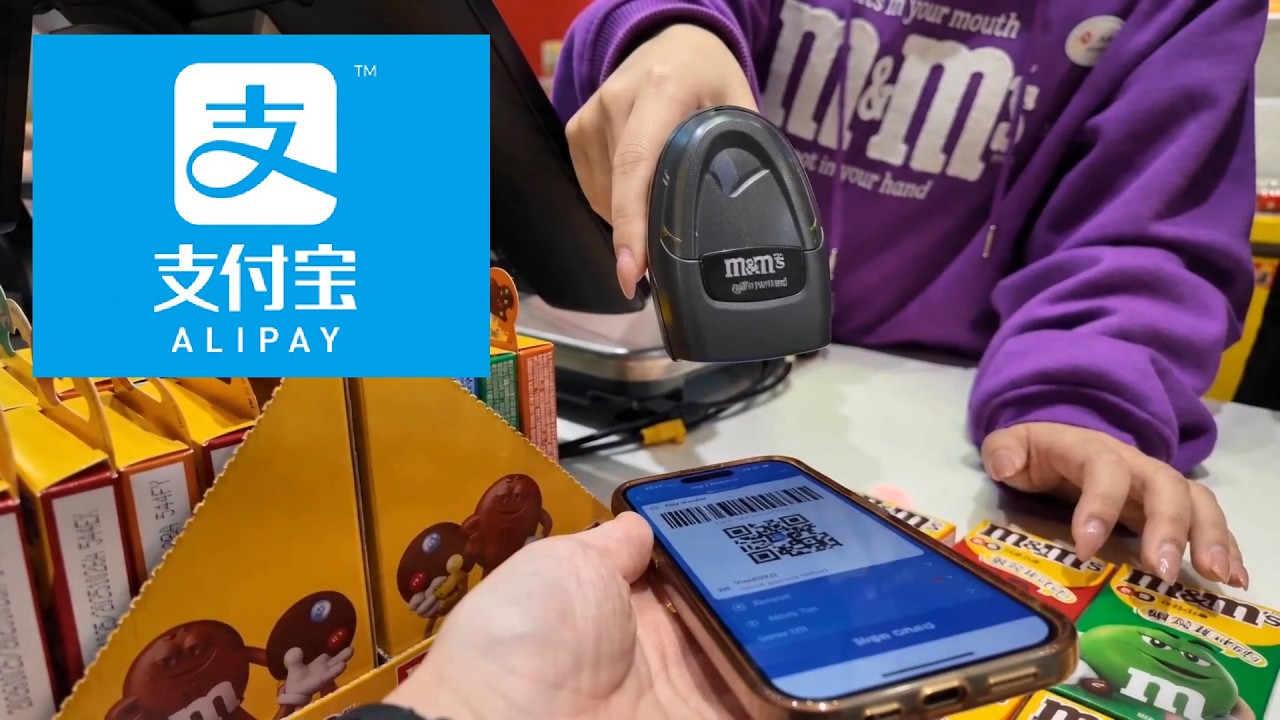
FAQ
Can I pay for my bike rental, full-day or half-day cycling ride online with Stripe instead of Alipay?
Yes. All online advance payments for full-day and half-day bike rentals as well as guided full-day and half-day cycling rides now go through Stripe Checkout in USD. For self-service bike rentals, open the payment link in your confirmation email or click Pay now on your booking page in the dashboard within the 24-hour hold window. For guided full-day or half-day rides, our team sends you a Stripe payment link once your booking is confirmed.
How does the bike deposit work when I pay online via Stripe?
The online Stripe payment covers your rental fee (plus any delivery or accessory rental), not the bike deposit. When you collect the bike in person, you pay a refundable deposit separately at the store according to the store’s deposit requirement for your bike (partner-hotel guests are exempt). Once you return the bike and our staff confirm there are no issues after the return check, your original bike deposit is refunded in full.
Do I need to verify my passport in Alipay to pay?
No. We paid with a linked Mastercard without verifying. Alipay asks for identity details only after your international card payments add up to ¥15,000 (roughly US$2,000). You can verify earlier if you want to.
Will I pay a fee when using Alipay?
Not on payments of ¥200 or less. Above ¥200, Alipay adds 3% of the whole amount and shows it before you confirm: ¥9.00 on our ¥300 test. Your bank may add its own foreign transaction fee.
Why is the amount I paid in Alipay different from the base RMB amount?
Two things can change it. Above ¥200, Alipay adds its 3% international card fee. And Alipay sometimes applies a red packet, a discount from Alipay that new users may get, so you pay a little less. Don’t count on a red packet: not everyone gets one.
What currency will my card be charged in?
When you pay online through our Stripe checkout link, you are charged in USD. When you pay in person with Alipay at our store or at shops in China, you pay in RMB and your card issuer converts it to your home currency at its exchange rate.
The company name on the Alipay Pay screen is in Chinese. Is it you?
If it reads 广西骑意文化旅游开发有限公司 or 广西骑迹旅游发展有限公司, yes. Both are CycleQuest China companies. If you see a different name, don’t pay, and check with our staff.
My Alipay payment failed. What should I check first?
Your bank’s approval request: open your banking app or check your text messages, and approve before the timer runs out. If you’re paying for a CycleQuest booking, you can also switch to our online Stripe checkout link. The full checklist is in If your payment doesn’t go through.
Can I pay at the store when I pick up?
Yes. Our stores take Alipay, TenPayGo and WeChat Pay at the counter. If you want your bikes confirmed and locked in before you arrive, pay online through the Stripe checkout link on your booking page within the 24-hour hold window.
Will I need Alipay again in China?
Very likely. Alipay is accepted almost everywhere in China, from cafés and taxis to trains and small village shops, and in our test it paid a personal QR code too. Setting it up before your ride saves you trouble on the road.
I’m stuck. Can someone help?
Yes. Message us on WhatsApp with your booking number and a screenshot of the error, and we’ll help you sort it out.
Sources and last verified
- Alipay in-app notices, as shown in the screenshots above: the ¥15,000 identity notice and the over-¥200 international service fee notice
- Hands-on test on Android by the CycleQuest China team: linking a Mastercard, paying our company QR code and a personal QR code, 30 September 2026; updated 19 October 2026 for Stripe online checkout across bike rentals and guided full-day / half-day rides
Last verified: 19 October 2026